

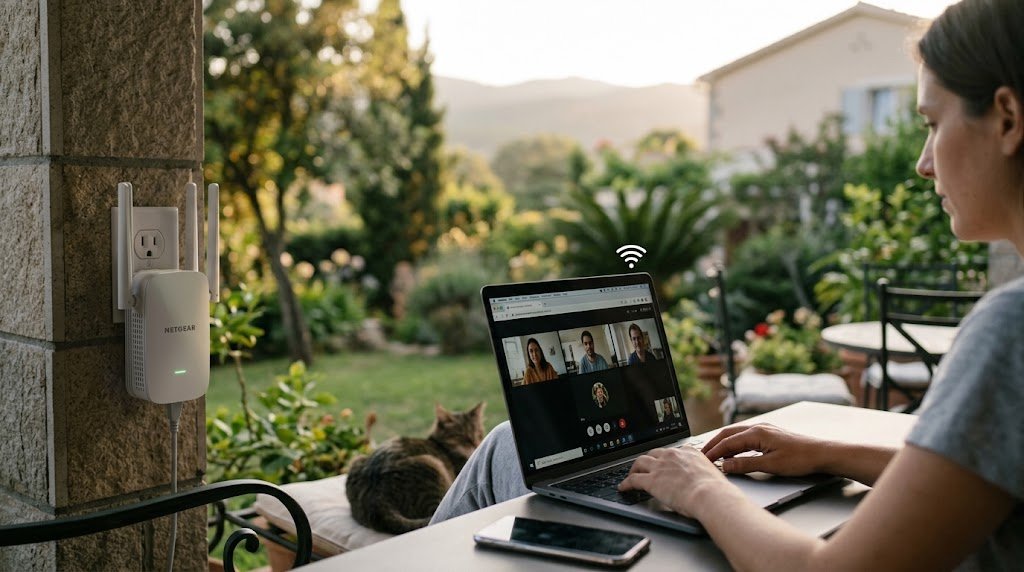
Have you ever noticed that your WiFi works well in the living room but becomes weak in a bedroom or upstairs? Thick walls, long distances, and multiple floors can prevent your router from providing reliable coverage throughout your home. A WiFi extender may help solve this problem without requiring you to replace your existing router.
Understanding what is a wifi extender can help you decide whether this device is right for your home. It receives your router’s wireless signal and rebroadcasts it to extend coverage into areas where the connection is weak.
In this guide, you will learn what a WiFi extender does, how it works, when you need one, and how to choose and install the right device.
What Is a WiFi Extender?
A WiFi extender is a networking device designed to expand the wireless coverage of an existing WiFi network. It connects to your router and sends the signal into another area, helping devices connect in places where the original signal may be unreliable.
For example, if your router is downstairs and your bedroom is upstairs, a properly positioned extender may improve WiFi coverage in that bedroom.
WiFi extenders are also called range extenders or, in many everyday conversations, WiFi repeaters. Their exact features vary by model.

What Does a WiFi Extender Do?
A WiFi extender helps extend your existing wireless network rather than replacing your internet service.
Its main benefits include:
- Improving WiFi coverage in weak-signal areas.
- Helping connect devices in distant rooms.
- Reducing some WiFi dead zones.
- Extending coverage to selected areas of a home office or garage.
- Working with many existing routers.
However, an extender does not increase the internet speed supplied by your internet provider. Its main purpose is to improve wireless coverage where the original signal is weak.
How Does a WiFi Extender Work?
To understand how does a wifi extender work, it helps to know how the device communicates with your router and connected devices.
Step 1: Receive the Router’s Signal
Your router broadcasts a WiFi signal. The extender connects to that signal from a suitable location between the router and the area with poor coverage.
Step 2: Rebroadcast the Signal
After connecting, the extender transmits the network signal into the surrounding area. Your phone, laptop, television, or other wireless device can then connect through the extended coverage.
Step 3: Improve Coverage in Weak Areas
When positioned correctly, the extender can help provide a more reliable connection in rooms that previously had weak WiFi.
Important: The extender must receive a reasonably strong signal from the router. Placing it inside the dead zone may not improve performance.
When Do You Need a WiFi Extender?
A WiFi extender is most useful when your router works properly but cannot provide reliable coverage in certain parts of your home.
1. You Have WiFi Dead Zones
If your WiFi disconnects in a bedroom, basement, or corner of the house, an extender may help bring the signal into that area.
2. Your Home Has Multiple Floors
Concrete floors, thick walls, and long distances can weaken WiFi signals. An extender placed on another floor may improve coverage if it can maintain a good connection to the router.
3. Your Home Office Has Weak WiFi
Unreliable WiFi can interrupt video calls and online work. An extender may improve coverage in a distant office, although Ethernet is often more reliable for important work.
4. You Need Coverage in a Garage
If your garage is close enough to receive a usable router signal, an extender may help. Detached buildings or areas separated by thick exterior walls may require an outdoor access point or another networking solution.
When Should You Avoid Using a WiFi Extender?
An extender is not the solution to every internet problem.
You may not need one if:
- Your internet is slow in every room, including beside the router.
- Your internet provider is experiencing an outage.
- Your router is outdated or faulty.
- Network congestion is the main problem.
- You can connect the device directly through Ethernet.
If the connection is slow everywhere, test your internet near the router before purchasing additional equipment.
WiFi Extender vs. Mesh WiFi
Both solutions can improve coverage, but they suit different situations.
| Feature | WiFi Extender | Mesh WiFi |
|---|---|---|
| Main purpose | Extend coverage to selected areas | Provide coordinated coverage across a home |
| Setup | Usually connects to an existing router | Uses a main unit and additional mesh nodes |
| Cost | Often less expensive | Usually more expensive |
| Best for | One or two weak-signal areas | Larger homes with several dead zones |
| Roaming | Depends on device features | Generally designed for smoother roaming |
| Performance | Depends on signal and placement | Depends on node placement and backhaul |
Choose an extender if you need an affordable way to improve coverage in a particular room. Consider mesh WiFi if multiple rooms or floors have persistent connection problems.
How to Choose the Right WiFi Extender
Before buying a device, consider your home layout, router compatibility, and internet requirements.
Check WiFi Compatibility
Choose an extender that supports a WiFi standard compatible with your router. Newer models may offer improved performance, but both the router and connected devices affect the results.
Consider Dual-Band Support
Dual-band extenders support 2.4 GHz and 5 GHz WiFi. The 2.4 GHz band often provides better range, while 5 GHz can offer higher speeds at shorter distances. Actual performance depends on obstacles and interference.
Look for an Ethernet Port
An Ethernet port allows you to connect certain devices directly to the extender. Some models also support access-point mode, which can use a wired connection to provide WiFi coverage.
Consider Your Home Size
A small apartment may need only one extender, while a larger house may benefit more from mesh WiFi or wired access points. Walls, floors, and interference affect real-world coverage.
How to Set Up a WiFi Extender
Most modern extenders are relatively easy to install. Follow the manufacturer’s instructions for your specific model.
Step 1: Choose a Suitable Location
Place the extender between the router and the weak-signal area. Make sure it can still receive a good signal from the router.
Step 2: Connect It to Your Router
Use the manufacturer’s mobile app, setup website, or supported WPS method to connect the extender to your WiFi network.
Step 3: Configure the Network
Depending on the model, you may be able to use your existing network name or create a separate name for the extended network.
Step 4: Test Your Connection
Check WiFi strength and internet performance in the area where you previously experienced problems.
Step 5: Adjust the Position
If the connection remains weak, move the extender closer to the router or away from major obstacles.
Tips for Getting Better Performance
Follow these tips to get more reliable results from your extender:
- Avoid dead zones: Install the extender where the router’s signal is still usable.
- Reduce interference: Keep it away from large metal objects and other sources of interference.
- Update firmware: Install updates provided by the manufacturer.
- Test different positions: Small placement changes can make a noticeable difference.
- Check actual speed: Compare performance near the router and in the extended area.
Remember that wireless extenders can reduce available throughput because they need to communicate with both the router and connected devices. The result depends on the model and network configuration.
Common WiFi Extender Problems and Solutions
| Problem | Possible Cause | Solution |
|---|---|---|
| Weak extended signal | Extender is too far from router | Move it closer |
| Slow connection | Interference or weak router link | Adjust placement |
| Frequent disconnections | Network or compatibility issues | Check settings and firmware |
| Extender will not connect | Incorrect password or setup | Follow the manufacturer’s setup guide |
| Internet is slow everywhere | Router or ISP problem | Test the original connection |
| Coverage remains poor | Extender is unsuitable for the layout | Consider mesh WiFi or an access point |
Frequently Asked Questions
1. What is a WiFi extender used for?
A WiFi extender expands wireless coverage into areas where your router’s signal is weak. It can help improve connectivity in bedrooms, upstairs rooms, and home offices.
2. What does a WiFi extender do to internet speed?
It may improve your experience when weak coverage is the problem, but it does not increase your internet plan’s speed. Wireless repeating may also reduce available throughput.
3. How does a WiFi extender work with a router?
It connects to your router’s wireless network and rebroadcasts the signal to extend coverage. It needs a sufficiently strong connection to the router to perform well.
4. Where should I place a WiFi extender?
Place it between the router and the weak-signal area, where it can still receive a reliable signal. Avoid placing it too far from the router.
5. Is a WiFi extender better than mesh WiFi?
An extender is often suitable for one or two weak areas. Mesh WiFi is generally better for larger homes that need coordinated coverage across multiple rooms.
6. Will a WiFi extender work with any router?
Many extenders work with standard WiFi routers, but compatibility depends on wireless standards and security settings. Check the manufacturer’s specifications before purchasing.
7. Can I use more than one WiFi extender?
Some networks support multiple extenders, but performance may decline when signals pass through several wireless devices. Mesh WiFi or wired access points may be better for extensive coverage needs.
Conclusion
Understanding what is a wifi extender helps you decide whether you need one to improve your home network. A WiFi extender receives your router’s signal and rebroadcasts it to help devices connect in areas with weak coverage.
It can be a practical and affordable option for a bedroom, upstairs room, or home office that struggles to receive WiFi. However, if your internet is slow everywhere or your home has multiple dead zones, checking your router or considering mesh WiFi may be more effective.
Choose a compatible device, position it where the router’s signal is still strong, and test the results. With the right setup, a WiFi extender can make your existing wireless network more useful throughout your home.
